
Calm
Check in once a month — no real-time pings, no daily guilt. See where you landed, adjust, and get on with your life.
macOS personal finance
Allocate turns a bank statement into a clear picture of what you earned, what you kept, and whether you’re on track — automatically, and entirely on your Mac.
macOS 14 Sonoma or later · No account · Free
Your money, in one calm view
Import a statement, let the AI sort it, and see exactly where you stand. No sign-up, no subscription, and nothing leaves your Mac.
The headline number
Decide what you set aside before anything else — like a salary you owe your future self. Allocate shows the one number that matters: how much of your income you actually kept, saved, and invested.
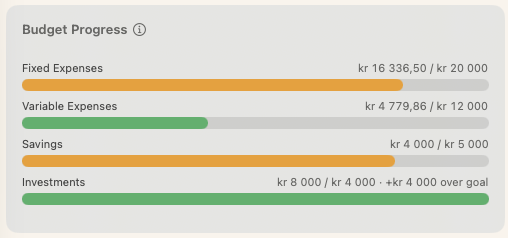
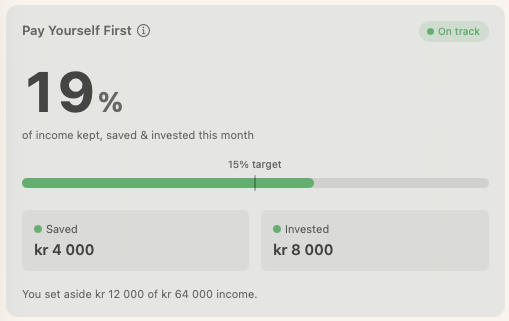
New in v1
Watch the number that compounds. Net Worth pulls every account together — checking, savings, investments, even credit cards — and charts how your wealth grows over time, splitting cash from what you’ve invested.
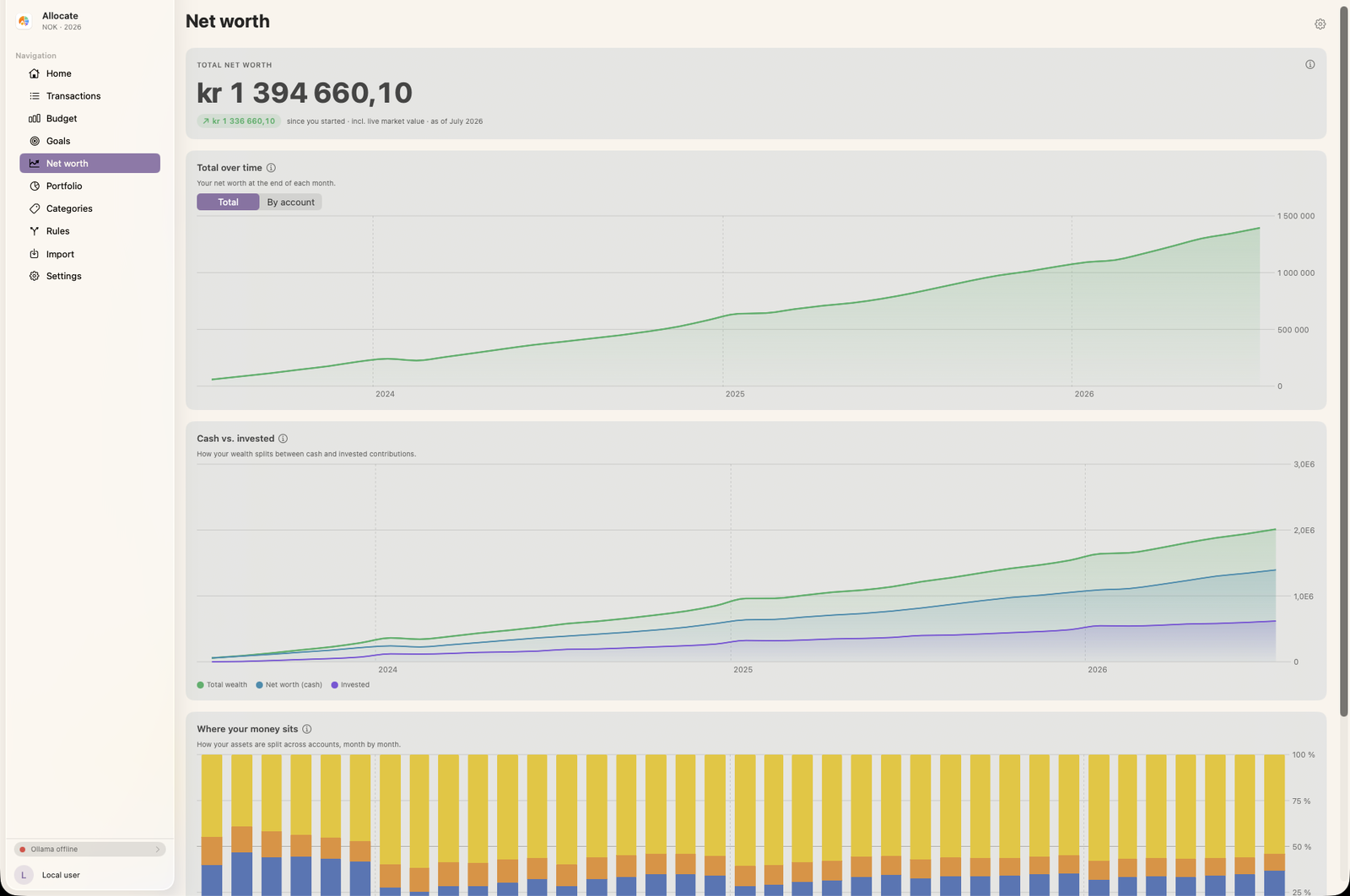
Goals → budgets
Pick how much to save and invest, then let the rest become budgets. Allocate suggests targets from your past spending and lays the whole year out in one matrix — so you can see, month by month, where you’re over or under.
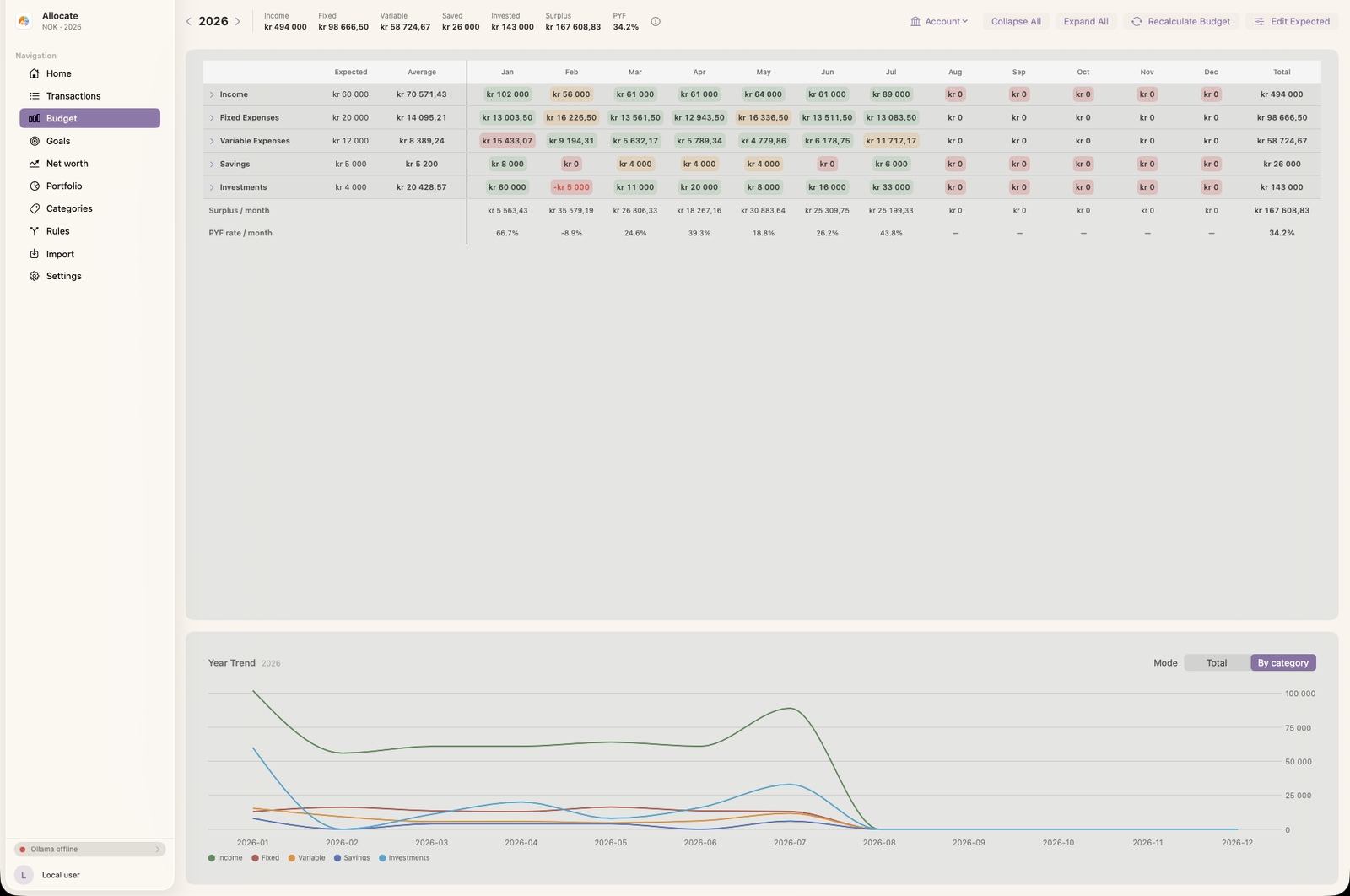
Stay on track
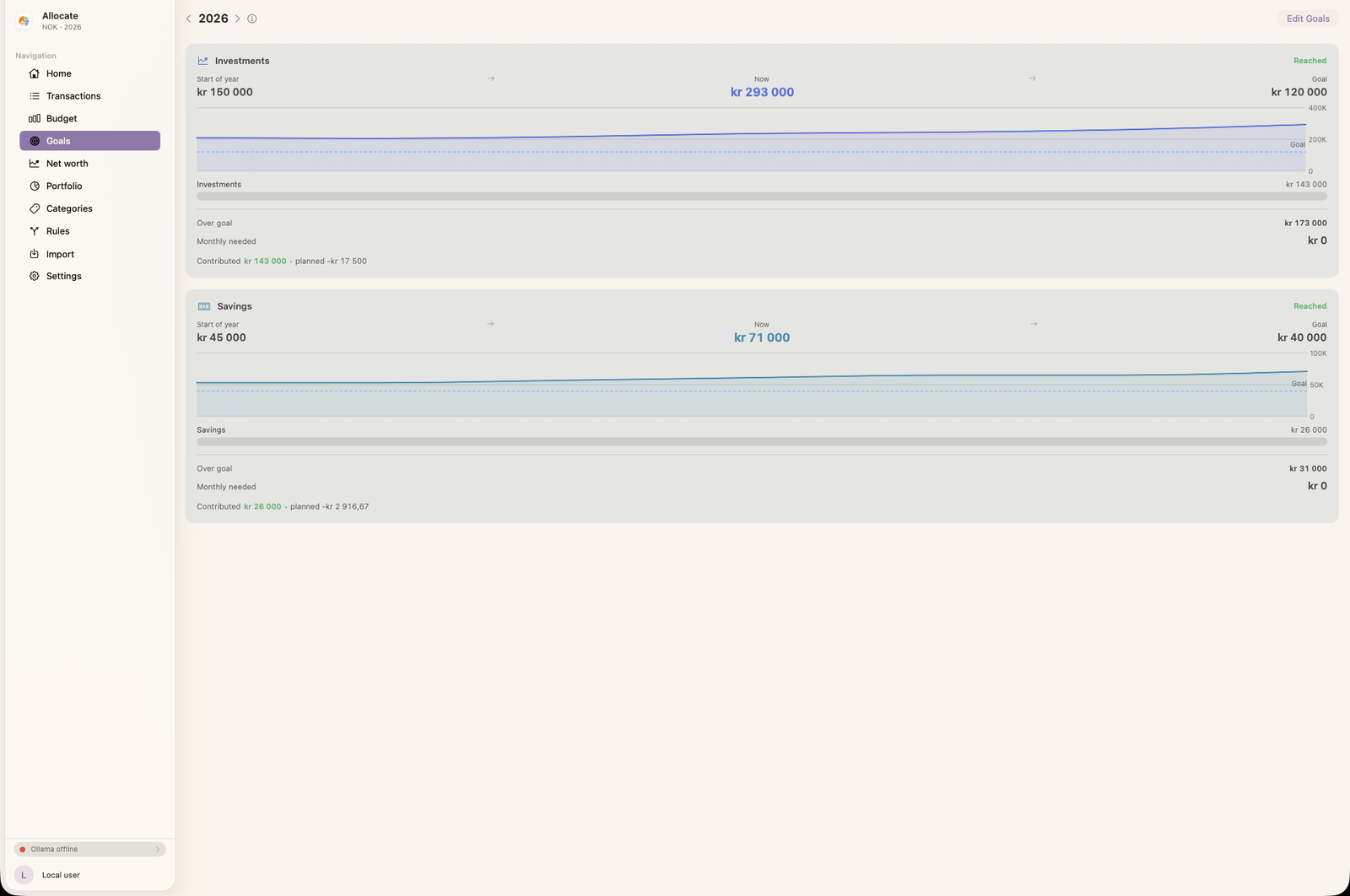
Save for a home deposit, a trip, or a rainy-day fund. Allocate tracks how far you’ve come, what’s left, and how much to set aside each month — and can write that straight into your budget.
Track your investments
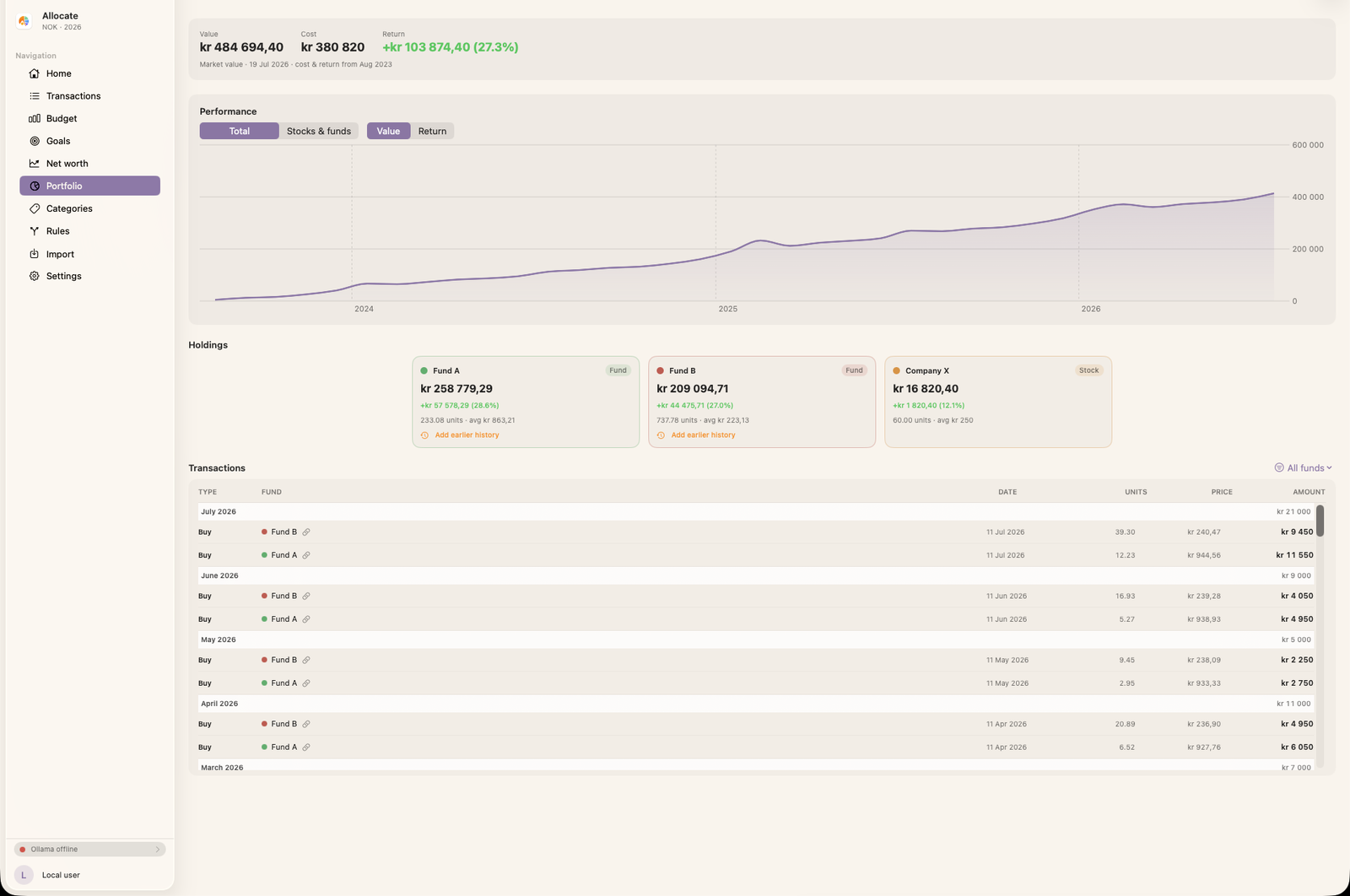
Import a brokerage statement and Allocate builds a per-holding view — each fund’s market value, cost basis, and return in kroner and percent, with a performance chart over time. Your holdings roll straight into net worth, so cash and investments finally live together.
Private by default
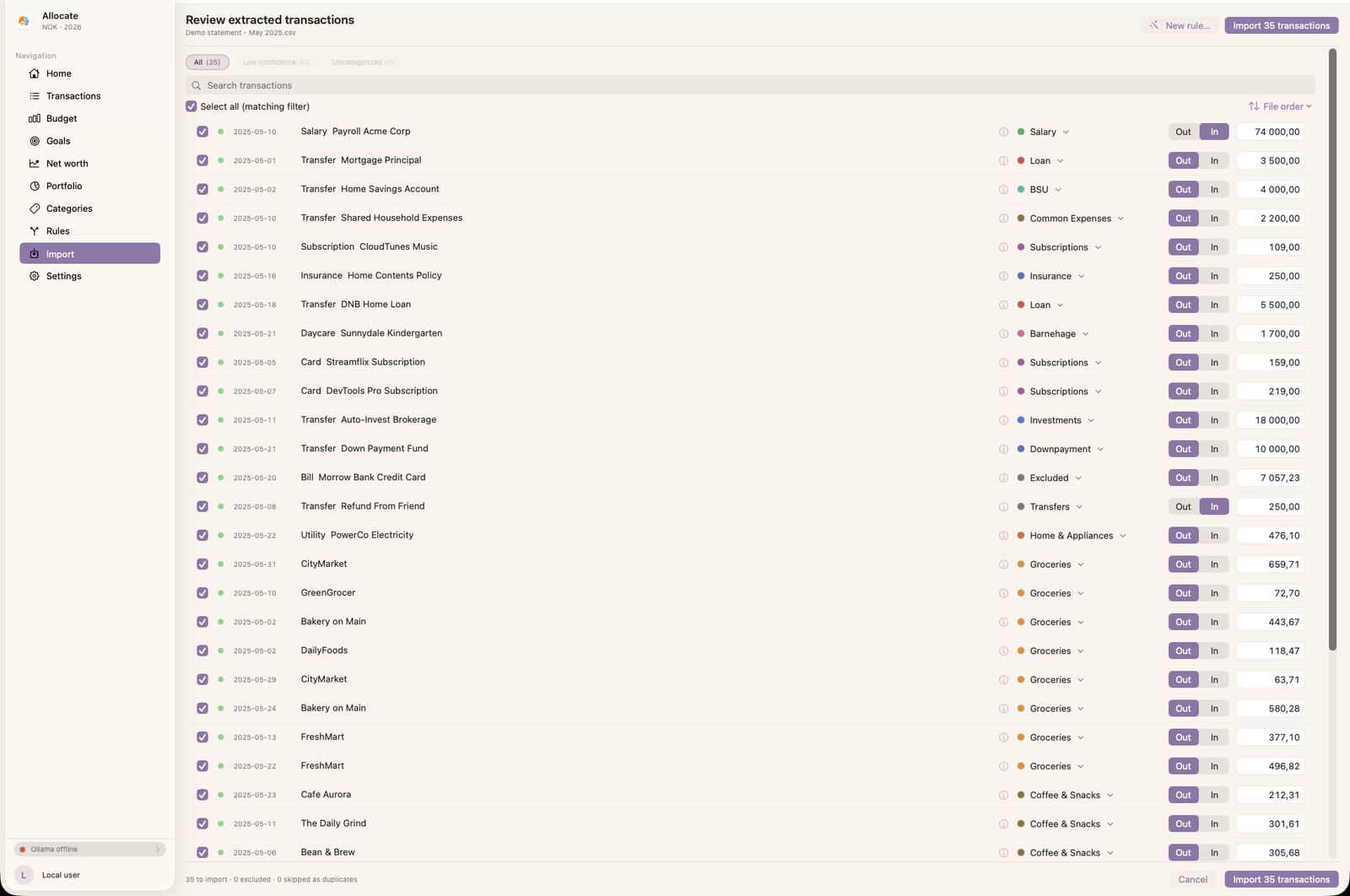
Export a PDF, CSV, or Excel file from your bank and drop it in. The AI categorizes every transaction by purpose — and it runs on your Mac. No bank connection, and your statements aren’t sent to our servers.
Why it’s different
Check in once a month — no real-time pings, no daily guilt. See where you landed, adjust, and get on with your life.
No account, no backend, no bank login. Everything stays on your Mac and your own iCloud — there’s nothing for anyone to sell or leak.
No subscription, no paid bank connectors. You shouldn’t have to pay money just to understand your money.
Make it yours
Allocate ships with Rosé Pine Dawn and a set of beloved editor themes — Nord, Catppuccin, Tokyo Night, Rosé Pine, and Gruvbox — with accent colors, light and dark modes, and adjustable type.
How it works
No dashboards to babysit. A little planning up front, then a calm monthly rhythm.
Decide what “paying yourself first” looks like for you.
Decide how much to pay yourself each month — the amount you’ll save and invest before spending on anything else.
Turn that goal into budgets for the rest. Allocate suggests budgets from your past spending, so the targets are grounded in reality, not wishful thinking.
The whole routine takes minutes — adjust for the long run and move on.
Export a PDF, CSV, or Excel file from your bank and drop it into Allocate. No bank connection, no extra fees.
Every transaction is categorized automatically — on your Mac. Skim it, fix the few it wasn’t sure about, and you’re done in minutes.
Did you pay yourself first? Are you over or under budget? Is your net worth climbing? Allocate shows you clearly.
Nudge next month’s plan to keep a good average over the long run. Then close the laptop and get on with your life.
Privacy by design
Allocate has no custom backend and requires no account. Transactions are stored on your device with SwiftData and synced only through your own iCloud. Even the AI categorization runs on your Mac — or, if you prefer, through your own ChatGPT account. There’s nothing for us to see, sell, or lose.
Allocate is coming to macOS. Be the first to know when it ships.